
Guided Compare Workflow, Smarter Feedback
We've introduced improvements across Compare, Feedback, and the signed-in Home experience to create a more intuitive platform for reviewing profiles, navigating organizations, and completing surveys.


This release introduces a more guided Compare experience, enhancements to the Feedback workflow, and updates to the signed-in Home experience.
Compare Improvements:
We've added a new progress indicator to the Compare flow that guides users through each step of the comparison process, making it easier to understand where you are and what comes next as you compare profiles.
Feedback Enhancements:
We've introduced several improvements to make reviewing feedback more flexible and efficient.
- The Feedback tab now includes a new view that allows users to switch between skill sets and a flat list of skills, giving users more control over how feedback is displayed.
- We've also streamlined filtering by combining the reviewer type and rating filters into a single dropdown.
- A new High Variance Only option makes it easier to identify skills with the greatest differences in reviewer feedback, while improvements to the high variance indicator ensure it only appears when the required reviewer threshold has been met.
Home & Navigation Updates:
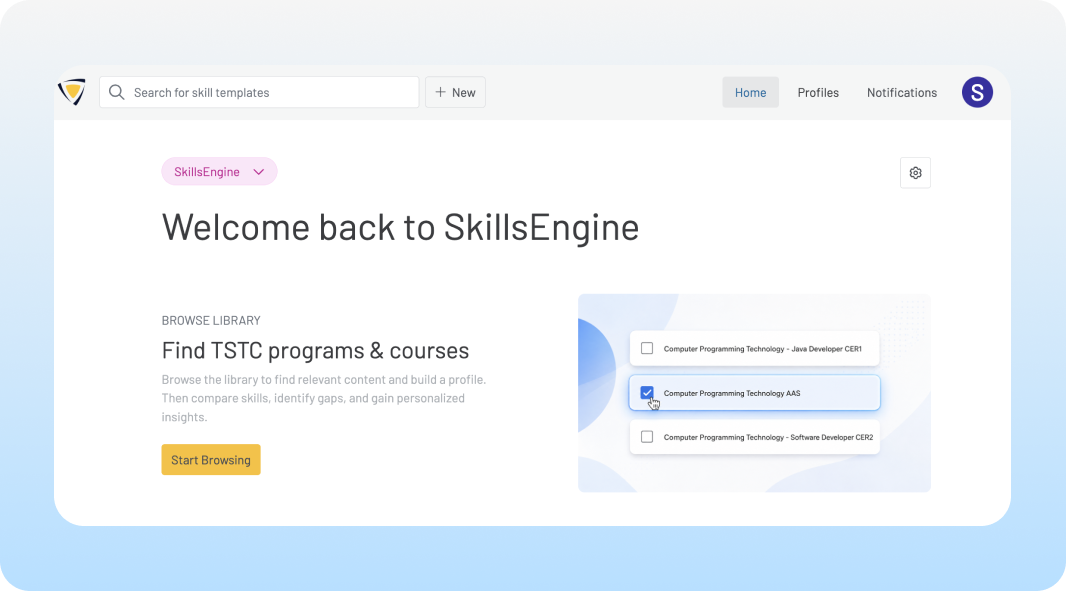
- Enhanced Signed-In Home Experience: The signed-in Home page has a new look including a new organization switcher dropdown, making it easier to move between organizations.
- Improved Profile Navigation: Member information and profile counts have been moved to the Profiles page, and a new Browse Library module was added to make it easier to discover and navigate available profiles right from the Home page.
Survey Improvements
Curriculum Profile Surveys now include associated Target Jobs, providing additional context during the review process. Common skill ratings are also carried over into Curriculum Surveys to create a more seamless and informed evaluation experience.