
Exploring the Target Jobs Tab

This guide will walk you through how to access and use the Target Jobs Tab to understand how well your curriculum or credential aligns with the real jobs your learners are pursuing.
Accessing the Target Jobs Tab
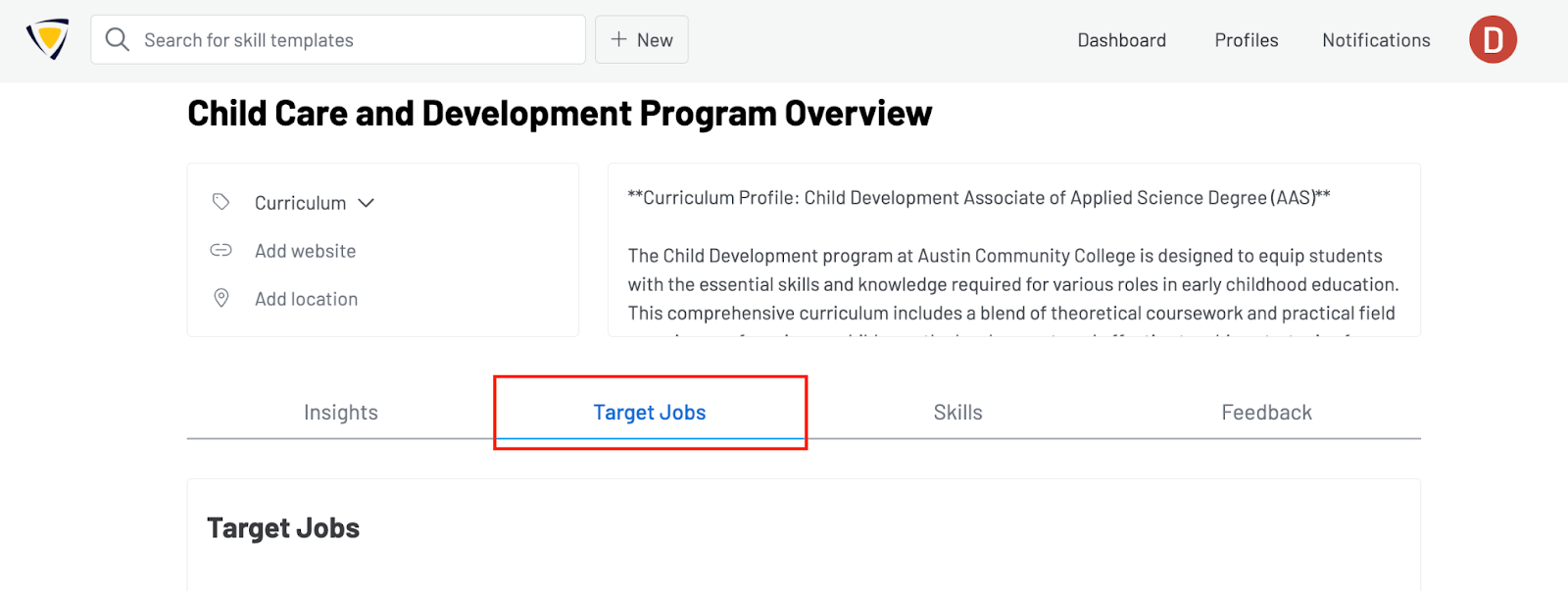
To access the Target Jobs Tab, navigate to any of your curriculum or credential profiles via the Profiles dashboard. Once inside an eligible profile, select the Target Jobs tab from the top navigation bar.
Understanding the Target Jobs Tab
The Target Jobs Tab provides a clear view of how your profile aligns with the occupations your learners are targeting. It includes two main modules designed to help you quickly understand alignment and explore relevant job options.
Target Jobs Module
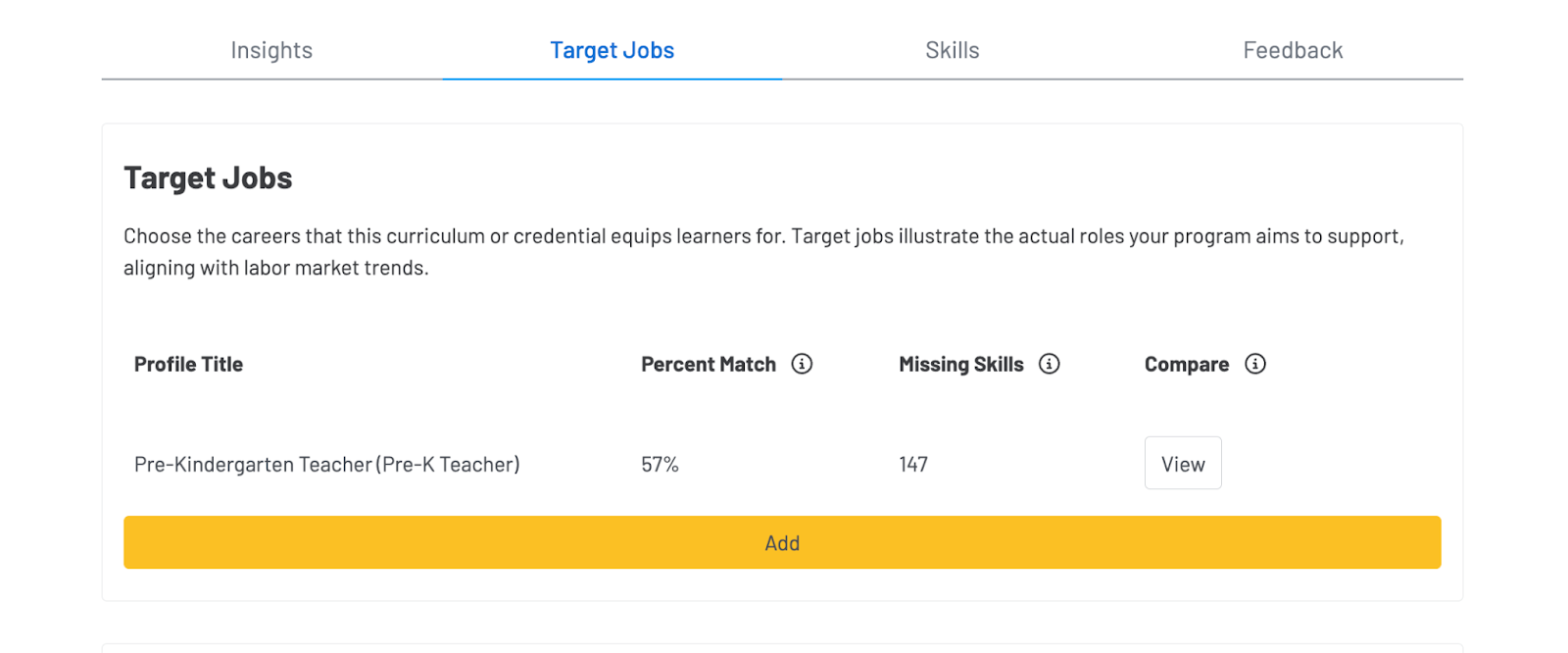
This section displays the primary occupation you have selected as the target job for the profile. It includes:
-
Percent Match: The proportion of skills in your profile that align with the target job.
-
Missing Skills: A quick overview of skills the target job requires that your profile does not currently cover.
-
View Full Compare Report: A direct link that takes you to a detailed side-by-side comparison between your profile and the target occupation.
This allows you to quickly assess how well your curriculum prepares learners for a specific job and identify areas for improvement.
Related Jobs Module
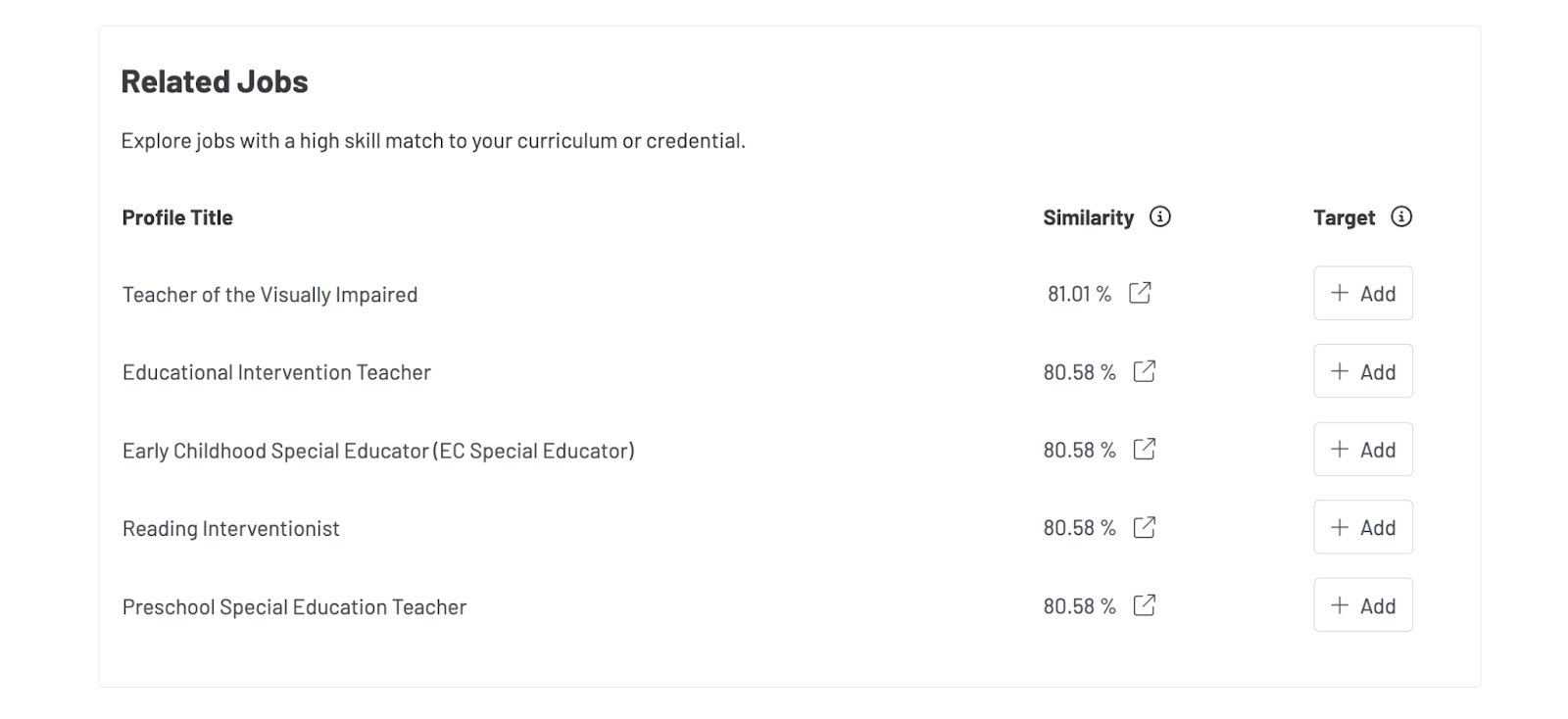
Below the Target Job Module, you’ll find a list of additional occupational profiles that are closely related to the profile. These occupations are identified based on similarity in skill and task requirements.
This module helps you:
-
Discover other relevant jobs learners may qualify for
-
Explore alternative pathways
-
Understand broader skill alignment across occupations
Viewing Top Target Occupations in Insights
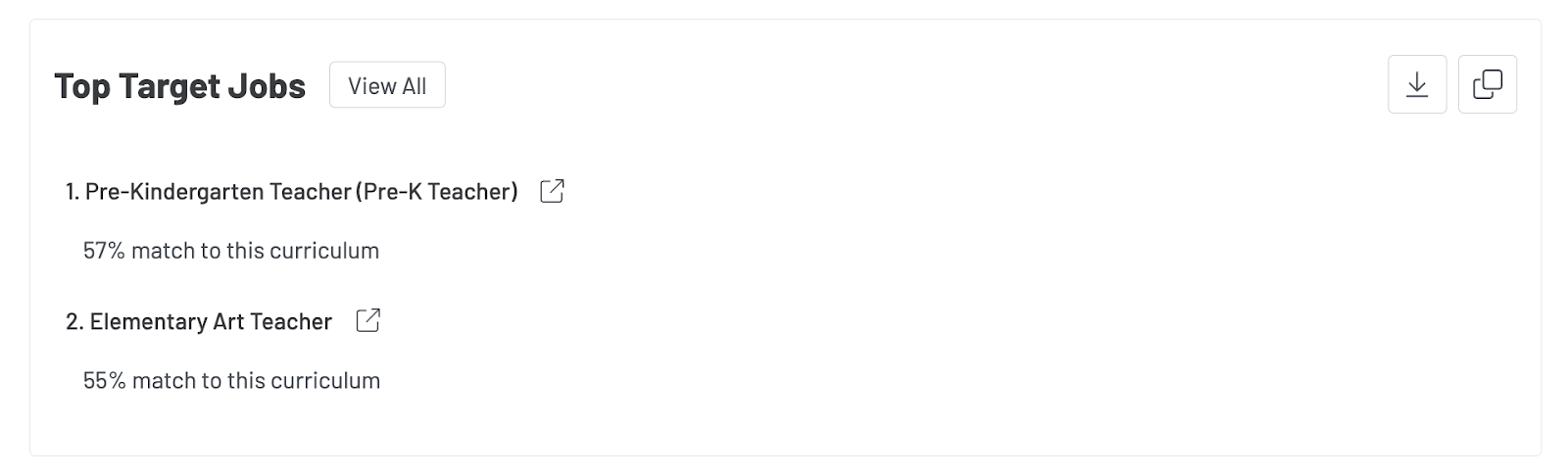
Once target jobs are selected for a curriculum or credential profile, they will appear in the Insights Tab as well. The Insights Tab displays the top five target occupations for the profile, making it easier for all viewers—including faculty, curriculum designers, and partners—to see the intended job outcomes at a glance.
Updated 1/15/2026, 12:40 PM CST